project details
Kafkaesque
A read only Kafka inspector built for understanding a cluster before it becomes an incident.
#overview
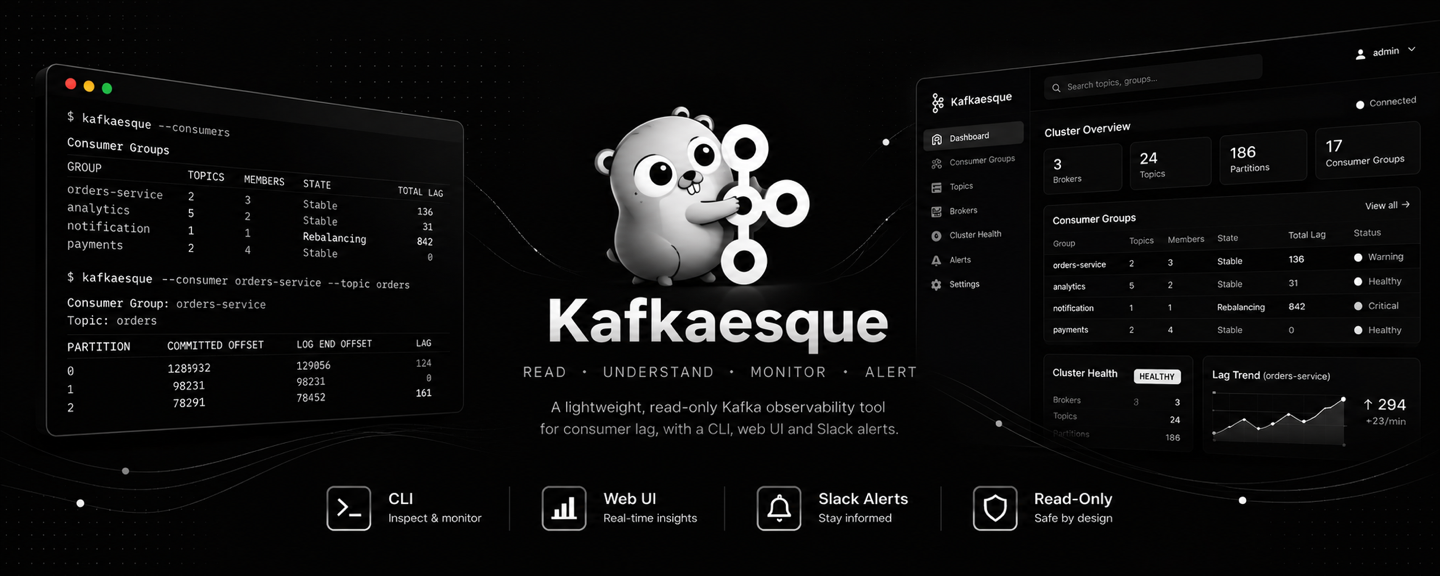
Kafkaesque is a lightweight Kafka observability tool for engineers who need a fast, safe picture of a cluster. It exposes brokers, topics, partitions, consumer groups, lag, assignments, and health information without mutating the cluster. The project began as a command line inspector and grew into a server with a read only HTTP API and an embedded responsive interface.
The core idea is operational safety. Kafka tooling is often either too shallow for diagnosis or powerful enough to make an accidental change. Kafkaesque deliberately stays on the inspection side of that boundary. Stable text and JSON output make it useful in a terminal or script, while the web interface gives the same information to people who prefer a visual path through consumer lag and cluster health.
#install and run
Install the CLI
curl -fsSL https://raw.githubusercontent.com/nikhil25803/kafkaesque/main/install.sh | shInspect a cluster
kafkaesque --health
kafkaesque --brokers
kafkaesque --consumer --group order-processor
Run the web interface with Docker
docker run --rm -p 8085:8085 \
  -e KAFKAESQUE_KAFKA_BOOTSTRAP_SERVERS=kafka-1:9092,kafka-2:9092 \
  -e KAFKAESQUE_DATABASE_URL='postgres://kafkaesque:password@postgres:5432/kafkaesque?sslmode=require' \
  -e KAFKAESQUE_AUTHENTICATION_SUPER_ADMIN_USERNAME=super_admin \
  -e KAFKAESQUE_AUTHENTICATION_SUPER_ADMIN_PASSWORD='replace-with-a-long-secret' \
  -e KAFKAESQUE_AUTHENTICATION_COOKIE_SECURE=false \
ghcr.io/nikhil25803/kafkaesque:v0.6.0#architecture and features
The application is written in Go and shares Kafka metadata work across compatible inspections. Configuration can come from YAML, environment variables, or explicit server flags, with validation applied before a connection is attempted. The server keeps the API and HTMX interface in the same distributable binary. Docker images, release archives, checksum verifying installers, and a disposable local Kafka environment make it practical to evaluate without touching a production deployment.
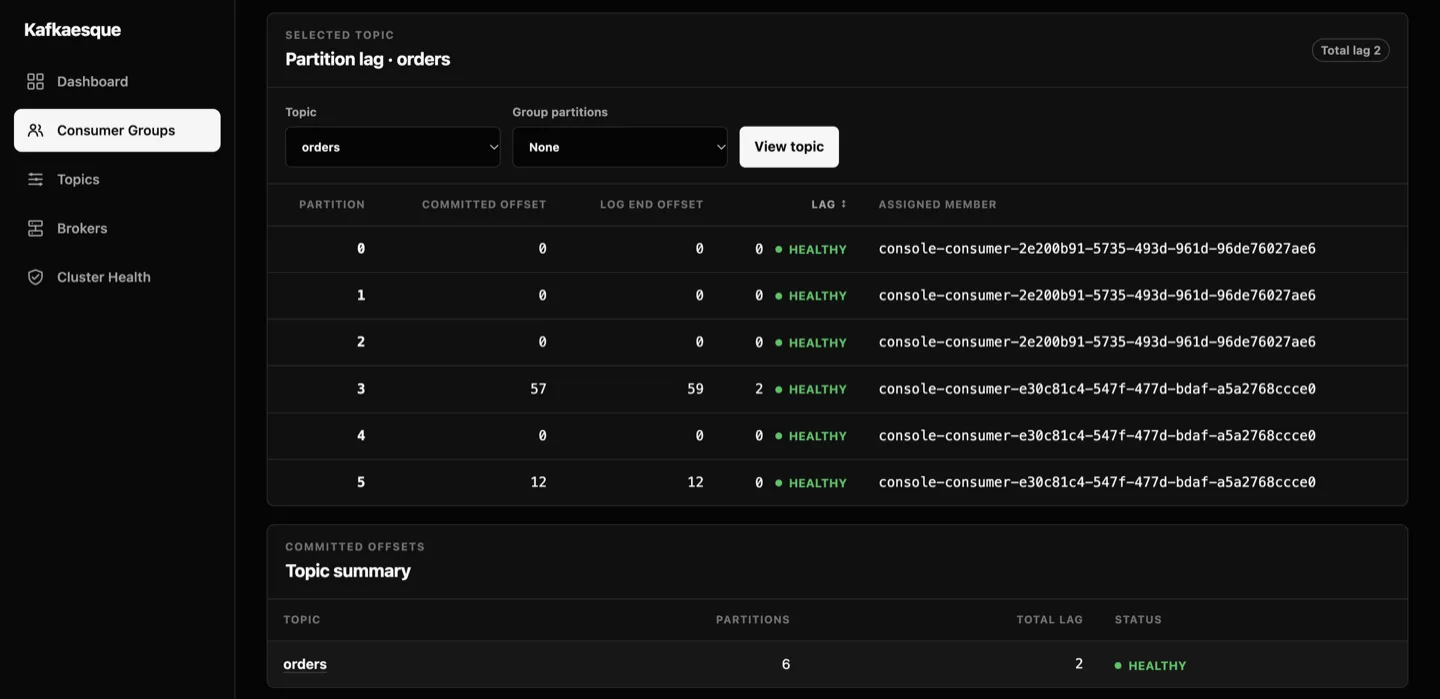
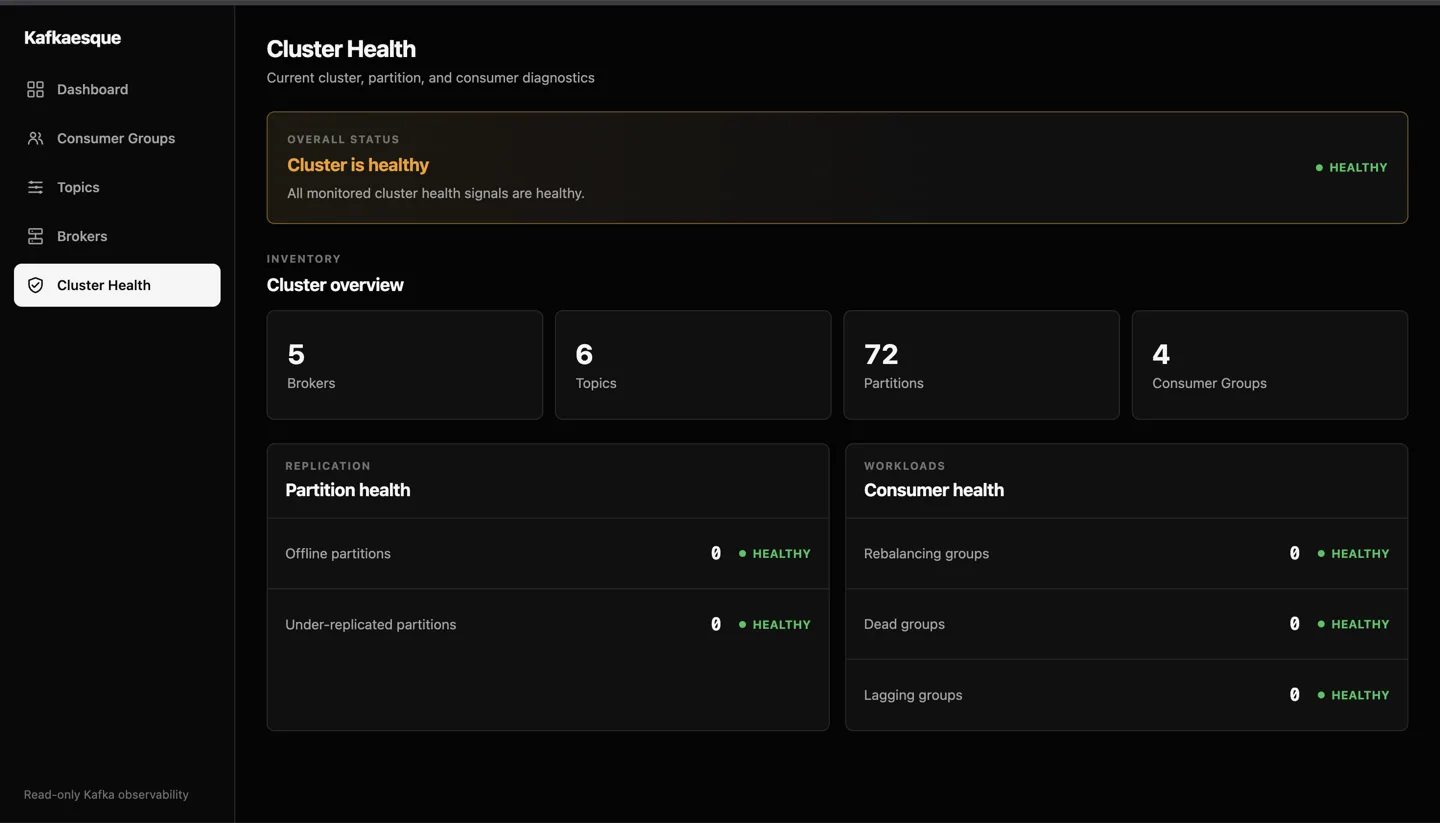
Health views combine cluster, partition, and consumer signals. Consumer inspection can narrow results by group or topic and expose partition offsets, lag, active members, and assignments. TLS, mutual TLS, and common SASL mechanisms cover secured clusters, while broker address overrides help with environments whose advertised listeners are not reachable from the inspector.
#inside the project
#using the project
- 01Install a published binary with the repository installer or run the container image. The installer places the executable in the user's local binary directory and verifies the release checksum before installation.
- 02Point Kafkaesque at one or more bootstrap servers through its YAML file or environment variables. Start with the connection check, then inspect metadata, brokers, topics, consumers, or health from the CLI. JSON output is available when another tool needs to consume the result.
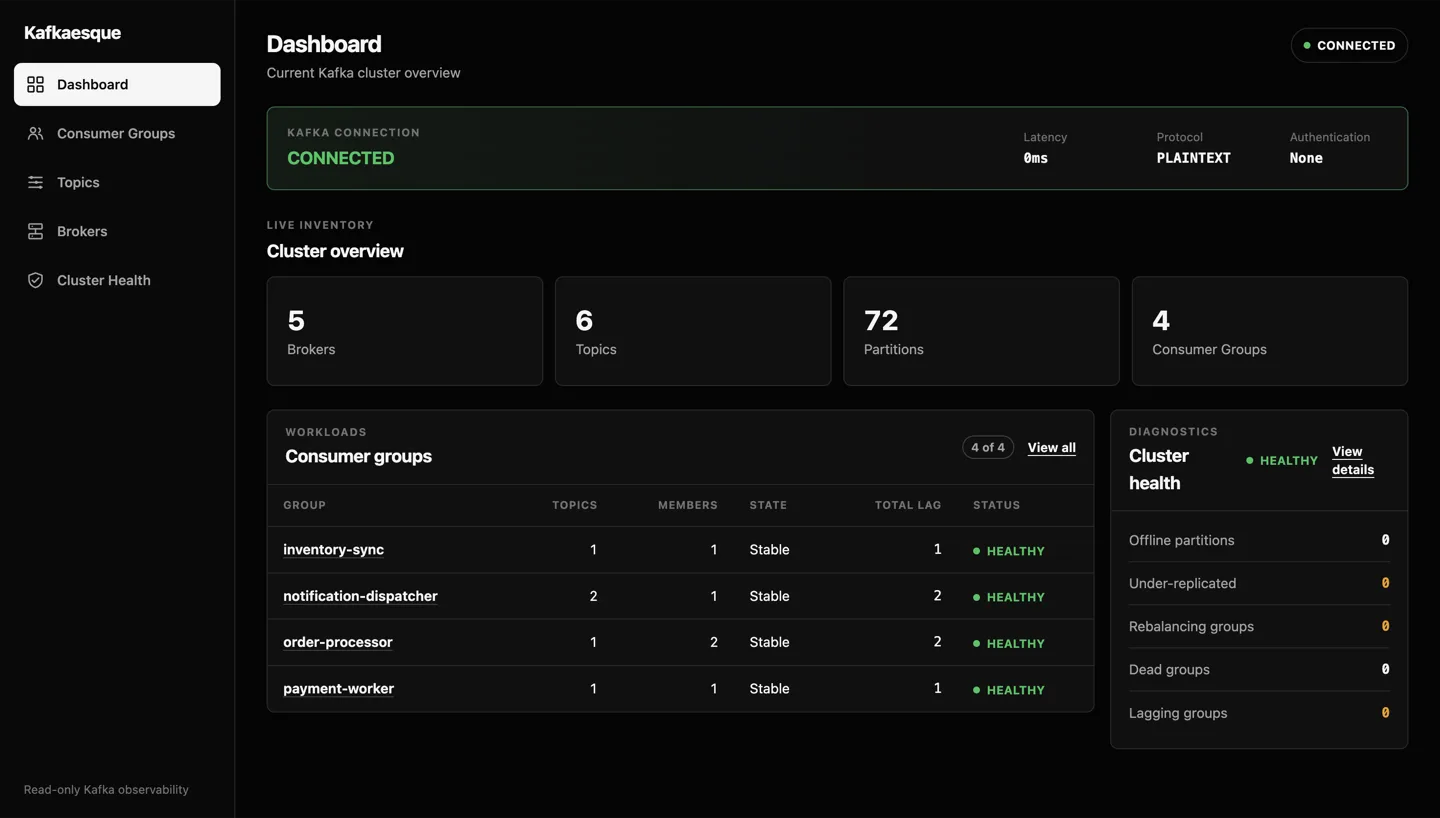
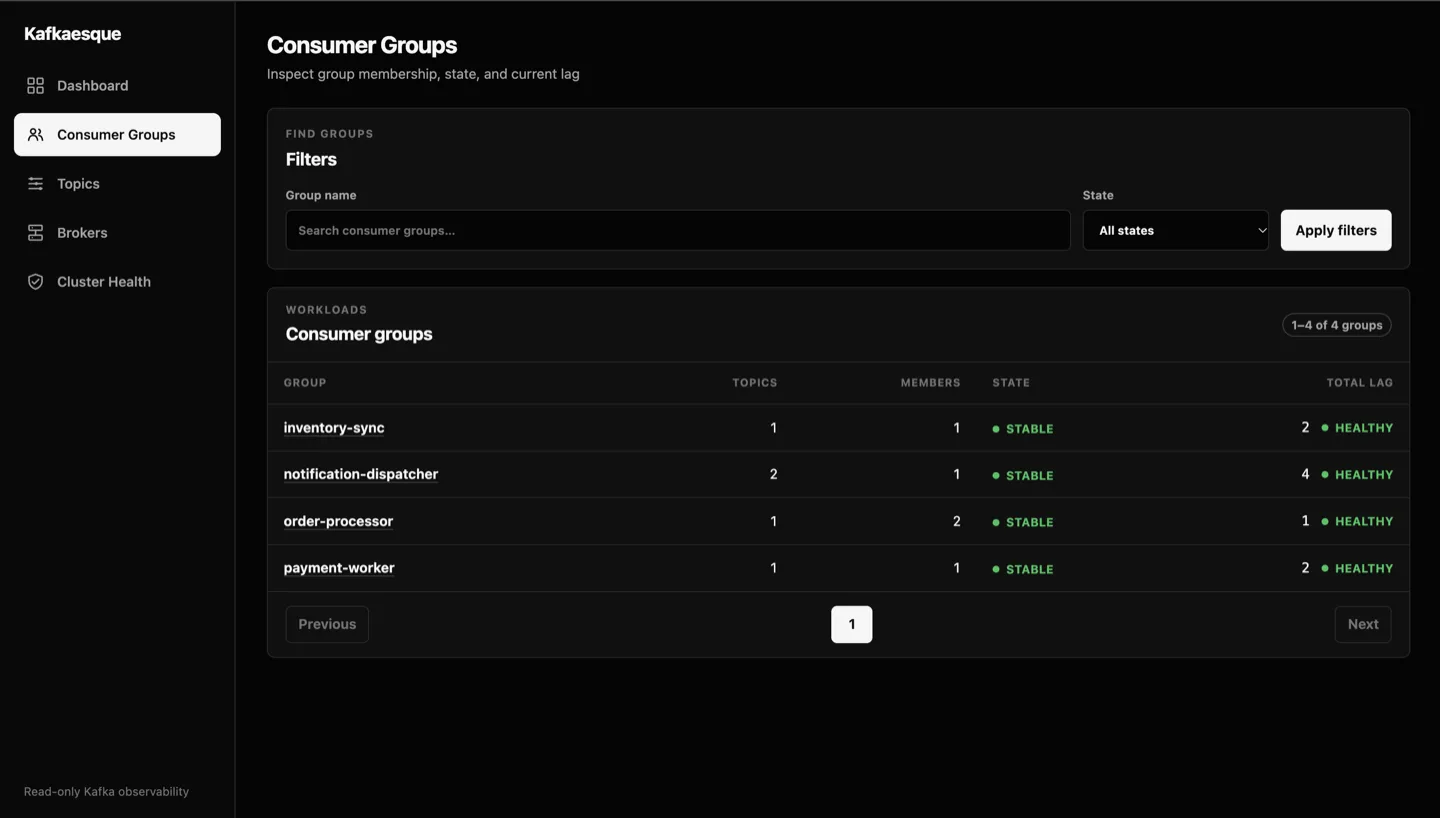
- 03For the browser experience, start the server command and open the embedded UI. Use the dashboard for a cluster summary, then move into consumer groups, partition lag, topics, brokers, or health. The interface remains read only, so authentication and network placement should still follow the deployment guidance in the repository.