project details
Microservice Blogging API
A blogging backend built around services, with search, recommendations, caching, and tests.
#overview
The Microservice Blogging API explores how a familiar content product changes when responsibilities are split across services. It covers account and content workflows, CRUD operations, authentication, keyword search, and recommendations while keeping performance and operational behavior visible.
Blogging is intentionally used as the domain because the concepts are easy to understand. That leaves the project free to concentrate on service boundaries, data ownership, caching, orchestration, security, and testing instead of spending its complexity budget on an unfamiliar business model.
#install and run
Run with Docker
docker-compose upRun manually
npm i
npx prisma migrate dev --name init
npm run test
npm run dev#architecture and features
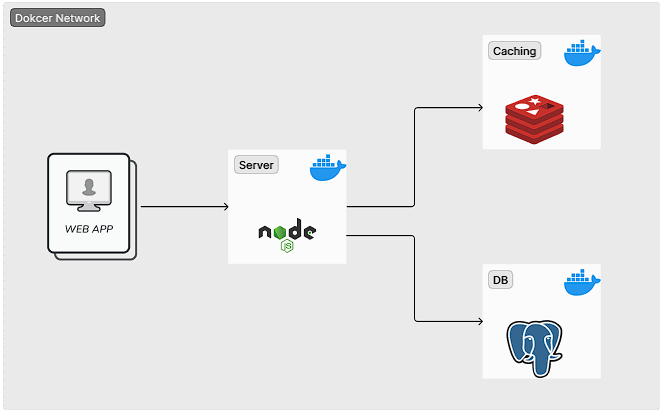
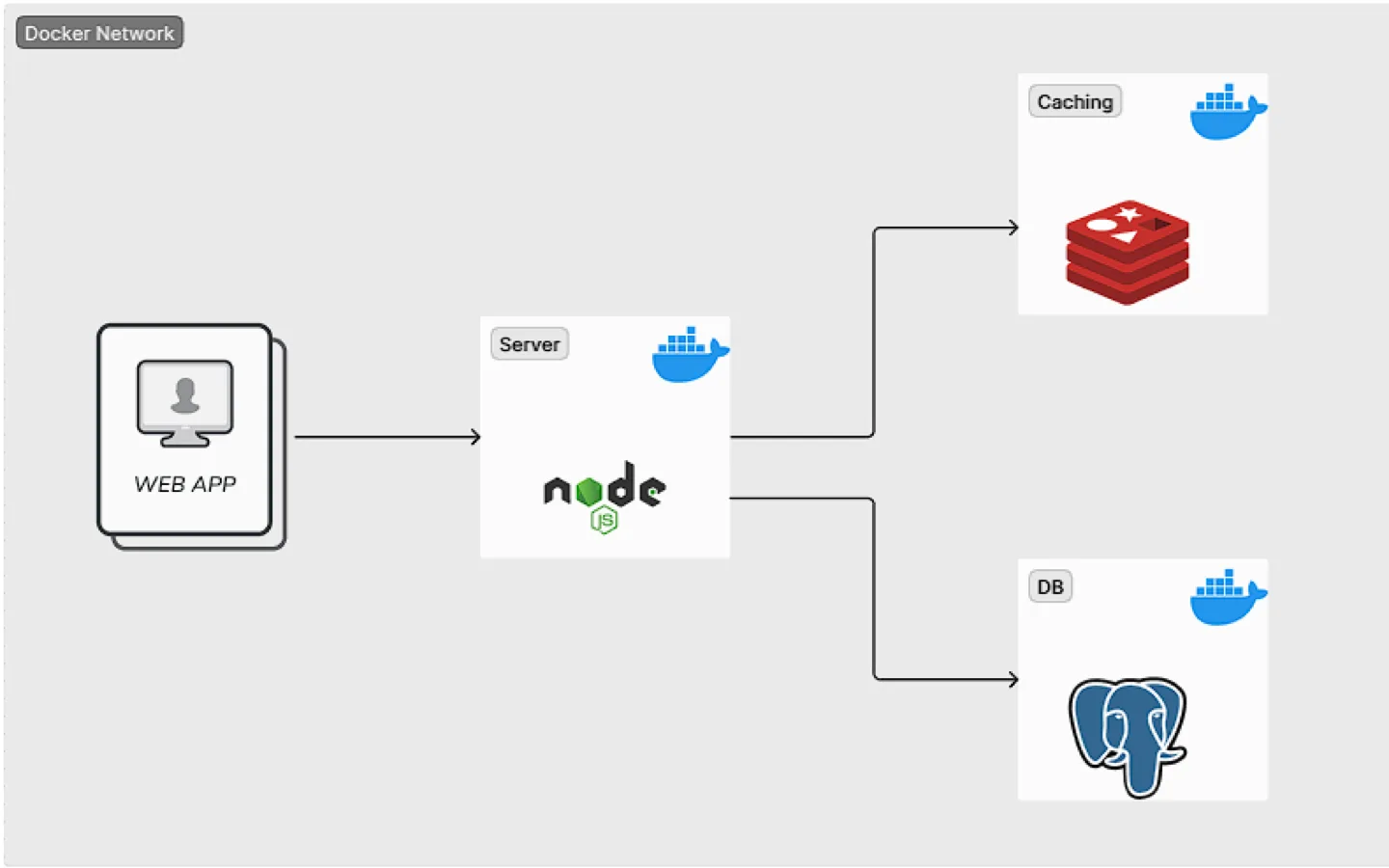
Services are implemented with Node.js and Express. PostgreSQL provides durable relational storage through Prisma, while Redis supports caching and coordination where faster access matters. Docker and Docker Compose define a reproducible environment with multiple services for local development.
Authentication protects write operations and behavior for each user. Search turns stored posts into a discoverable collection, while the recommendation path demonstrates how a separate concern can evolve without crowding the core content API. Unit tests cover service behavior and help validate changes across the distributed setup. The service boundaries also make failure handling and data flow easier to study than they would be inside one large application.
#inside the project
#using the project
- 01Clone the repository and review its environment template before starting the stack. Provide database, Redis, authentication, and service configuration values without committing secrets.
- 02Use the documented Docker Compose workflow to start the supporting services and application containers. Apply Prisma migrations or generate the client where the repository setup requires it, then use the health or API routes to confirm that each service is ready.
- 03Create an account, authenticate, and exercise post creation, updates, search, and recommendation endpoints with an API client. During development, run the unit suite before changing a service contract and inspect container logs when a request crosses service boundaries.